


Sygic GPS Navigation & Maps
4.239.09K Reviews
App Specs
- Version
- Varies with Device
- Updated On
- License
- Free
- Downloads
- 50,000,000+
- Developer
- Sygic.
- Categories
- Travel & Local
- Platform
- Android, iOS
Screenshots

 Analysis by AppCompare
Hey there, fellow adventurers! Today, I’m diving into the world of navigation with an app that promises to make our journeys smoother and more enjoyable. Let’s take a closer look at Sygic GPS Navigation & Maps and see if it truly lives up to the hype.
Getting Started with Sygic
So, you’ve decided to give Sygic GPS Navigation & Maps a shot. First things first, downloading and setting up the app is a breeze. Available on both Android and iOS, it’s just a quick visit to your app store and a few taps away. Once you’re in, the app greets you with a sleek and user-friendly interface. It’s like stepping into a high-tech cockpit, ready to guide you wherever you want to go.
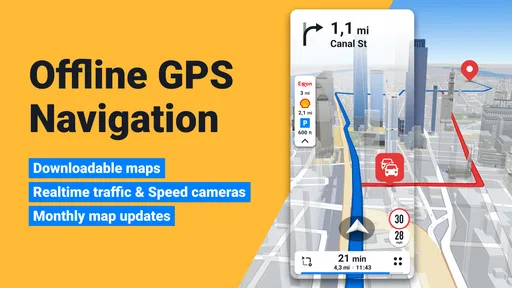
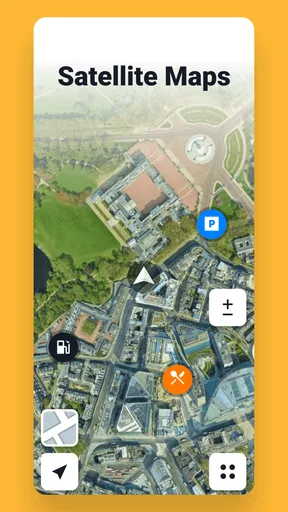
One thing that immediately caught my eye is the offline maps feature. This is a total game-changer for those of us who love exploring off the beaten path, where cell service can be a bit sketchy. You can download maps for entire countries or just specific regions, ensuring you’re never lost, even when you’re off the grid.
Exploring the Features
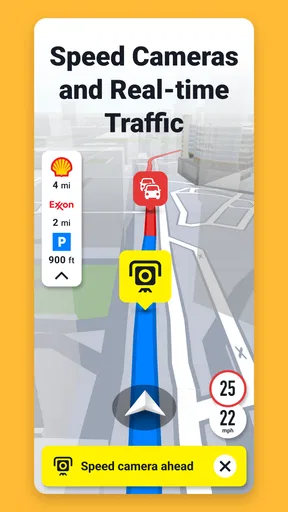
Now, let’s talk about features because Sygic is packed with them. From lane guidance to speed limit warnings, this app is like having a co-pilot who’s always got your back. The real-time traffic updates are super handy, rerouting you in case of heavy traffic, accidents, or road closures. It’s like the app knows exactly what you need before you even realize it.
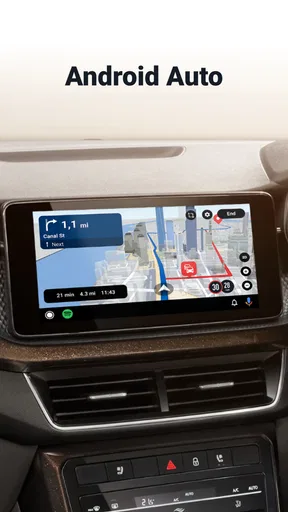
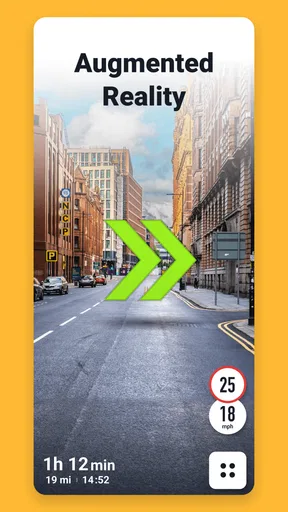
If you’re someone who loves a bit of augmented reality magic, you’ll adore the AR feature. It overlays directions onto your real-world surroundings, making navigation feel like something out of a sci-fi movie. Plus, the app integrates with your car’s dashboard via Apple CarPlay or Android Auto, bringing all these features to a bigger screen for easier viewing.
Driving Experience
Let’s hit the road! Using Sygic for a drive around town (or a road trip across the country), it’s clear the app is designed with the driver in mind. The voice navigation is crystal clear and available in multiple languages, which is great if you’re traveling abroad. I found the directions to be precise and timely, so no more last-minute lane changes or missed exits.
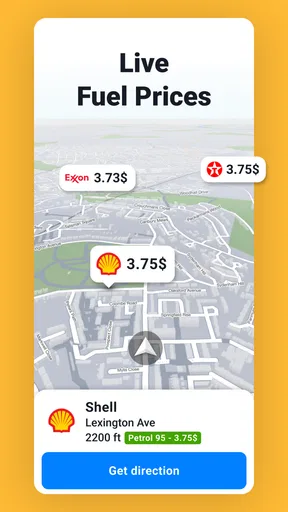
Another cool aspect is the fuel price comparison. You can find the cheapest fuel stations along your route, which is perfect for saving a few bucks – because who doesn’t love a good deal?
Worth Reading Before You Choose

EA SPORTS FC Mobile 26 Is a Bigger Football Game, but It Takes Time

Flipboard Shows What News Apps Must Do Beyond the Feed

Switching to Android Auto Means Rethinking Your Driving Routine

Google Calendar Makes a Crowded Week Easier to Manage

Ludo King Makes the Most of the Minutes Between Plans

Baby Panda World Brings Quick Play to Modern Phones, but Its Game Library Feels Busy
Customization and Personalization
Customization is where Sygic really shines. You can tailor the app to suit your preferences, whether it’s avoiding toll roads, setting a preferred route type, or even selecting a custom car icon. It feels like the app is truly yours, adjusting to your driving style and habits.
Plus, the integration with local points of interest is spot on. Whether you’re looking for a cozy café, a nearby gas station, or a tourist attraction, Sygic has you covered with tons of options right at your fingertips.
Final Thoughts
In the end, Sygic GPS Navigation & Maps is more than just a navigation app; it’s a travel companion that makes every journey feel like an adventure. With features like offline maps, real-time traffic updates, and AR navigation, it offers a comprehensive package that caters to both casual drivers and road warriors.
Sure, there are tons of navigation apps out there, but Sygic stands out with its robust feature set and intuitive design. Whether you’re navigating city streets or country roads, this app ensures you arrive at your destination with ease and confidence. So, if you’re in the market for a reliable GPS app, Sygic might just be the perfect co-pilot for you. Safe travels!
Pros
- Highly accurate offline maps.
- Intuitive user interface.
- Real-time traffic updates.
- Voice-guided navigation.
- Regular map updates.
Cons
- Requires a lot of storage.
- Some features need a subscription.
- Occasional GPS signal loss.
- Can drain battery quickly.
- Limited free version features.
FAQs for Sygic GPS Navigation & Maps
What features does Sygic GPS Navigation & Maps offer?
Sygic GPS Navigation & Maps provides a comprehensive suite of features, including offline maps, real-time traffic updates, speed limit alerts, and lane guidance. It also offers a head-up display (HUD) and integrates with various car connectivity systems. These features make it a versatile choice for both everyday commutes and long road trips.
Is Sygic GPS Navigation & Maps available offline?
Yes, Sygic GPS Navigation & Maps supports offline functionality. You can download maps for entire countries or specific regions to your device, allowing you to navigate without an internet connection. This is particularly useful for travel in areas with unreliable connectivity or to save on data costs.
How accurate is the real-time traffic information in Sygic?
Sygic uses a combination of data sources to provide real-time traffic updates, ensuring high accuracy. It collects information from millions of drivers and connected vehicles, allowing users to receive timely alerts about traffic jams, road closures, and other incidents. This feature helps in optimizing travel routes and reducing delays.
Is Sygic GPS Navigation & Maps user-friendly for first-time users?
Sygic is designed with user-friendliness in mind, offering an intuitive interface and simple navigation options. New users will find it easy to set up and start using the app, thanks to its clear instructions and helpful tooltips. Additionally, the app’s customizable settings allow users to tailor their experience according to personal preferences.
Are there any subscription costs for using Sygic GPS Navigation & Maps?
While Sygic offers a free version with basic navigation features, there are premium plans available for users seeking advanced functionalities. Premium features include real-time traffic updates, voice-guided navigation, and a head-up display. Subscription costs vary, and users can choose between monthly, yearly, or lifetime licenses based on their needs.


